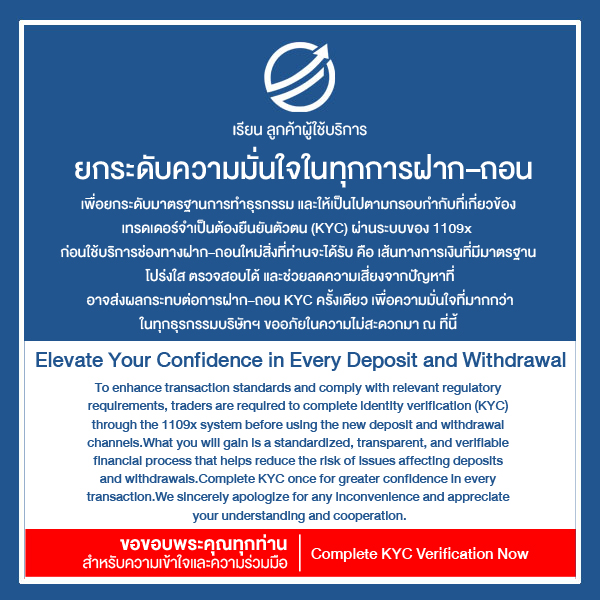

Deposit Funds To MT5, PAMM, MAM, SocialTrade
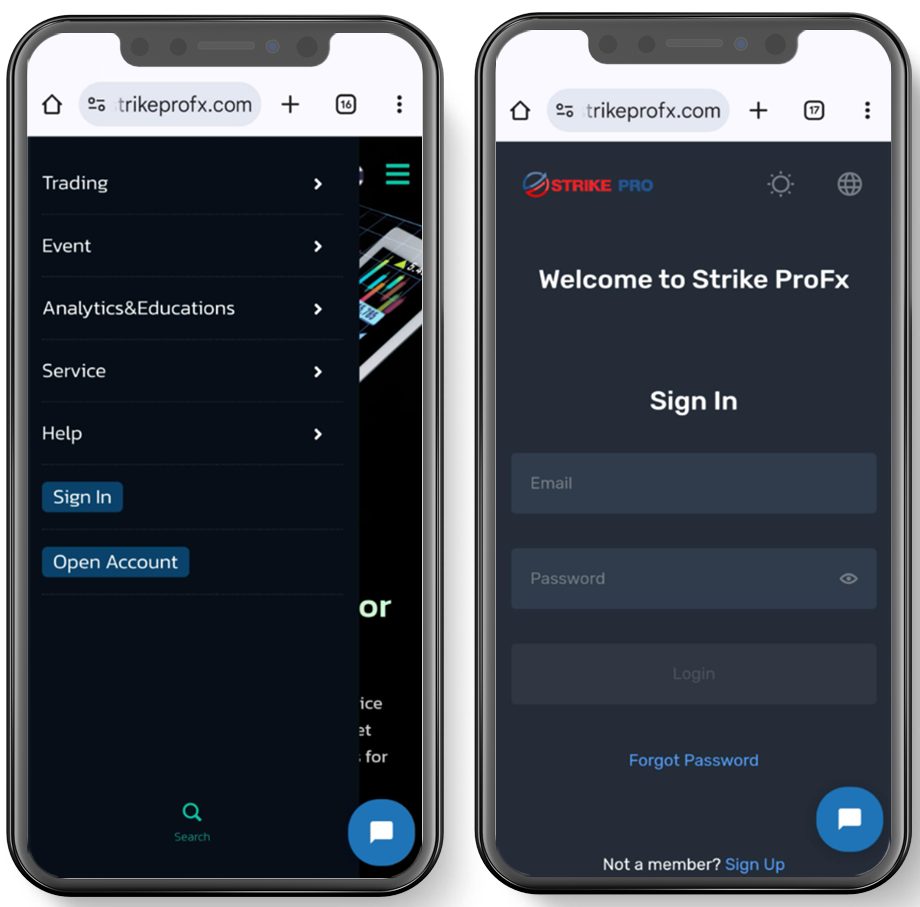
Start the Deposit Process
Log in to the system.
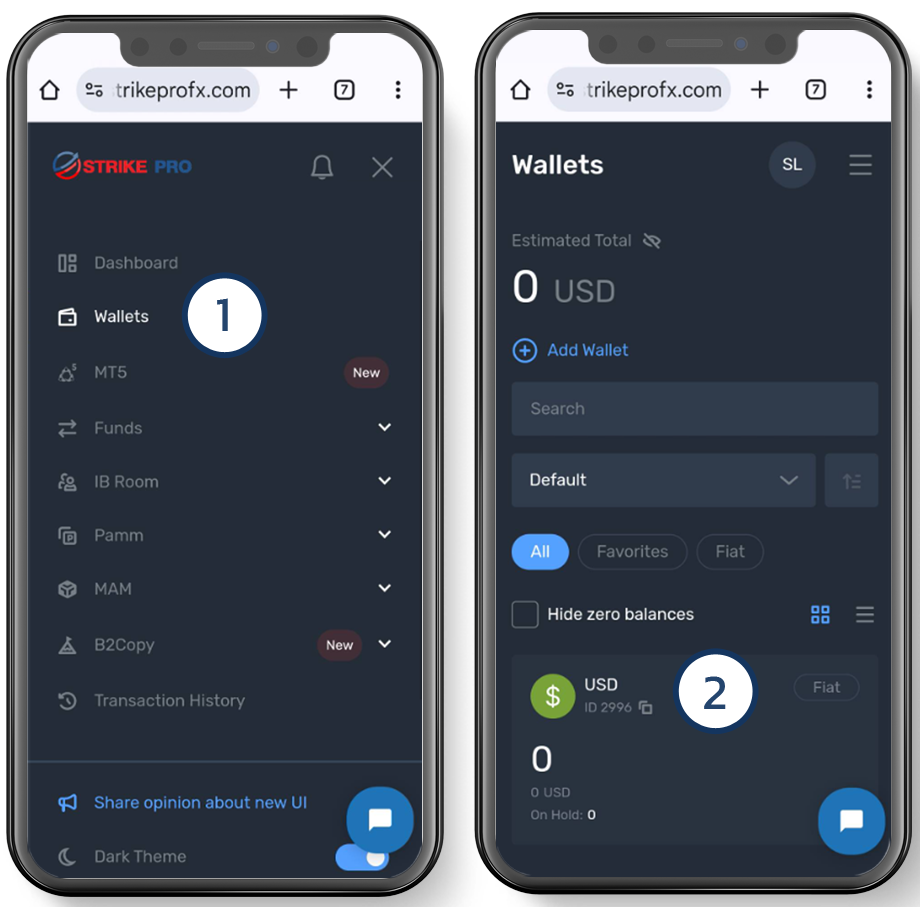
Step 1-2
- Select “Wallets”
- In the “Fiat USD” section
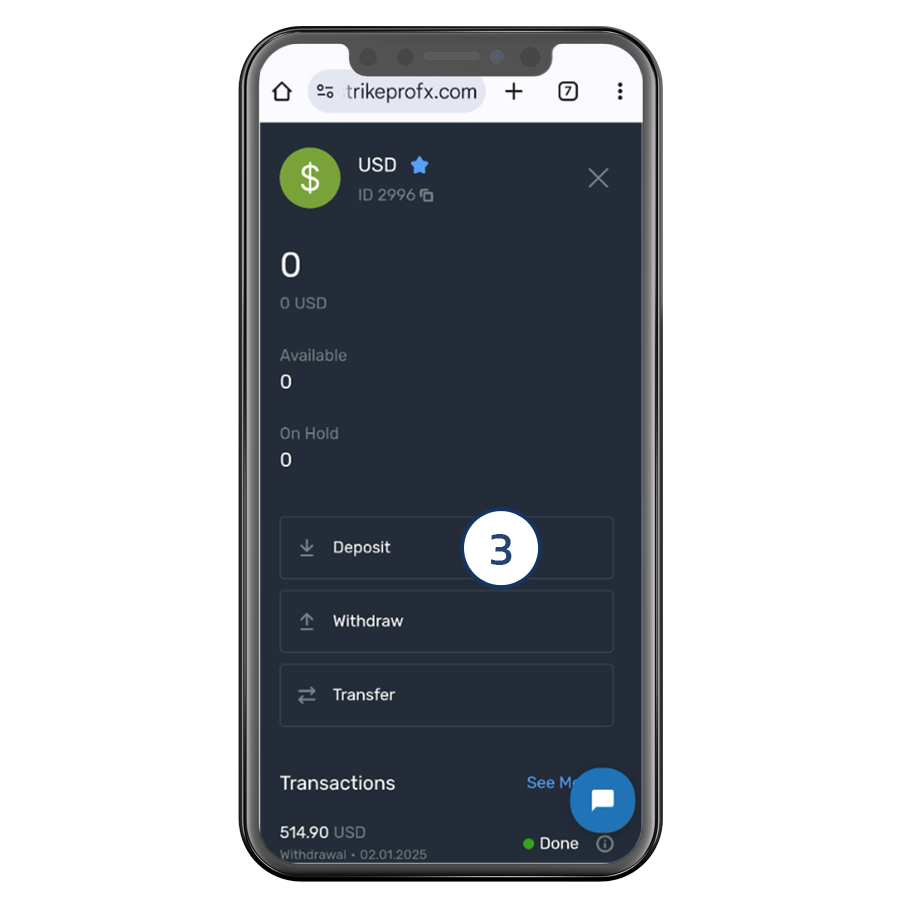
Step 3
3 Choose “Deposit”
Note: If transferring via live chat, skip to Step 2.
Step 2. Choose a deposit method Please choose to view the deposit procedure that you would like to use at the tab below.
Note: Transfers via Live Chat are limited to a maximum of 1,000 USD only.
For automatic QR code deposits, the minimum amount is THB 300 and the maximum is THB 900,000.
QR CODE
Please complete KYC verification↗ before continuing.
Step 4
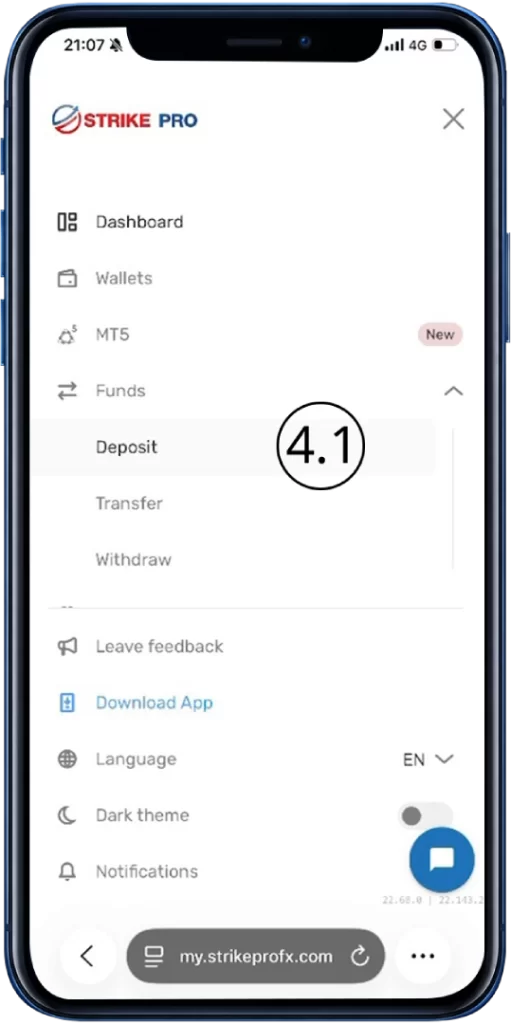
4.1 Go to Fund > Deposit.
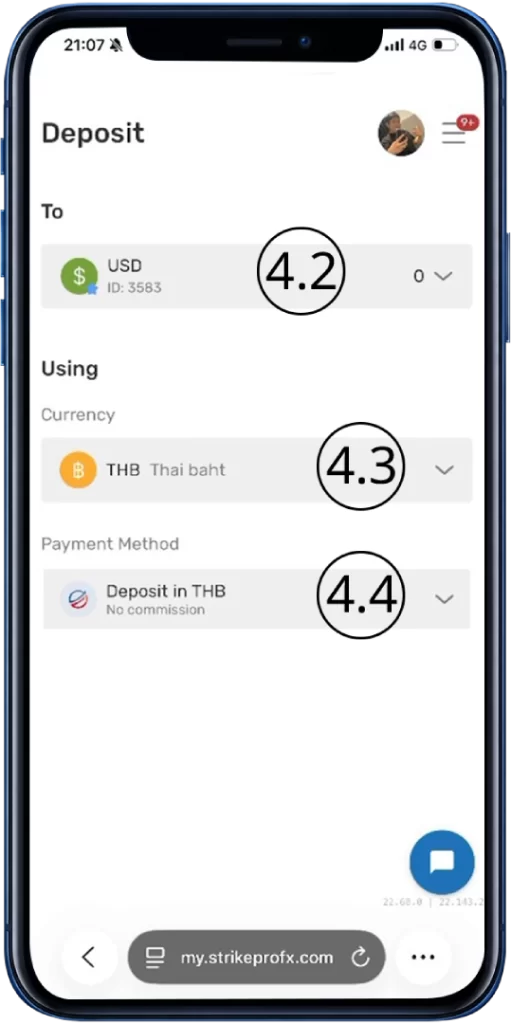
4.2 Select your wallet.
4.3 Under Currency, select Thai Baht (THB).
4.4 Under Payment Method, select Deposit in THB.
กรุณายืนยันตัวตน KYC verification↗ ให้เรียบร้อยก่อนดำเนินการต่อ
ขั้นตอนที่ 4
4.1 ไปที่ Fund > Deposit.
4.2 เลือกกระเป๋าที่ต้องการฝากเงิน
4.3 ในช่อง Currency เลือก Thai Baht (THB)
4.4 ในช่อง Payment Method เลือก Deposit in THB
Step 4
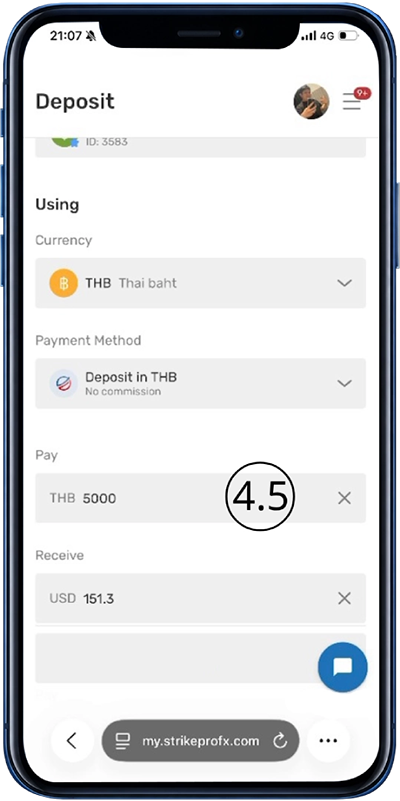
4.5 Enter the amount you want to deposit. The system will calculate the amount automatically.
☑ Pay: Enter the amount in Thai Baht (THB) you want to pay.
☑ Receive: Enter the amount in US Dollars (USD) you want to receive in your trading account.
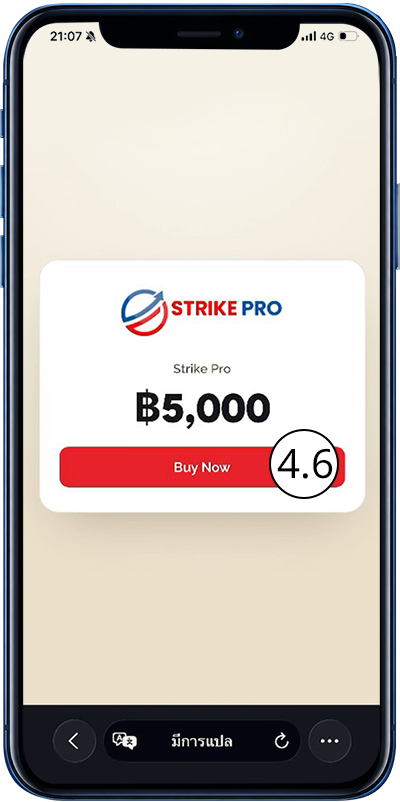
4.6 Click “Buy Now” to continue.
ขั้นตอนที่ 4
4.5 ระบุจำนวนเงินที่ต้องการฝาก ระบบจะคำนวณจำนวนเงินให้อัตโนมัติ
☑ Pay: ระบุจำนวนเงิน บาท (THB) ที่ต้องการชำระ
☑ Receive: ระบุจำนวนเงิน ดอลลาร์สหรัฐ (USD) ที่ต้องการรับเข้าบัญชีเทรด
4.6 กด “Buy Now” เพื่อดำเนินการต่อ
Step 4
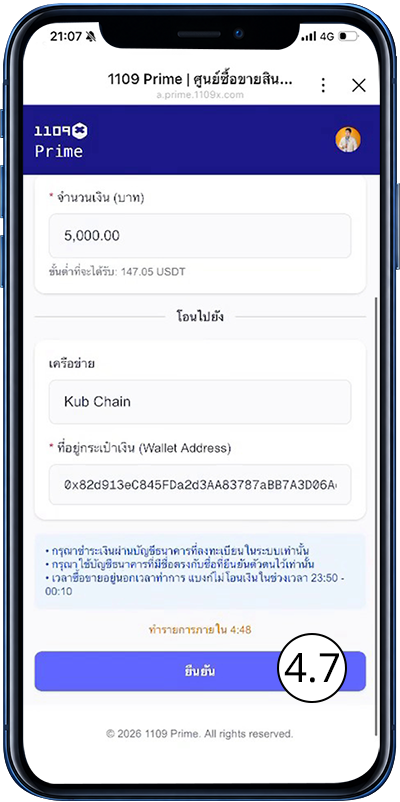
4.7 Click “Confirm” within the time limit to continue.
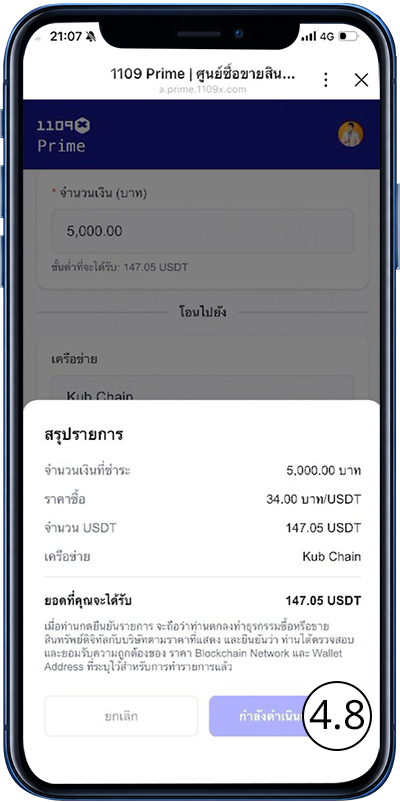
4.8 Click “Confirm Purchase” and wait for processing.
ขั้นตอนที่ 4
4.7 กด “Confirm” ภายในเวลาที่กำหนดเพื่อดำเนินการต่อ
4.8 กด “Confirm Purchase” และรอระบบดำเนินการ
Step 4
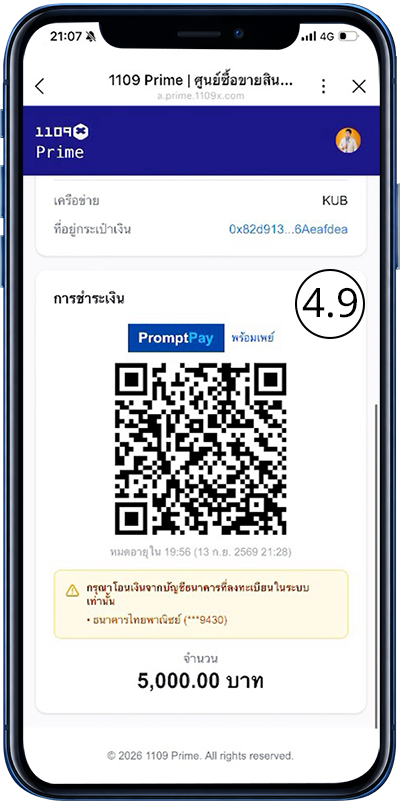
4.9 Scan the QR Code to make the payment.
ขั้นตอนที่ 4
4.9 สแกน QR Code เพื่อชำระเงิน
If you have any questions, feel free to contact us below.
หากมีข้อสงสัย สามารถติดต่อเราได้ที่ด้านล่าง
Live Chat
Step 4
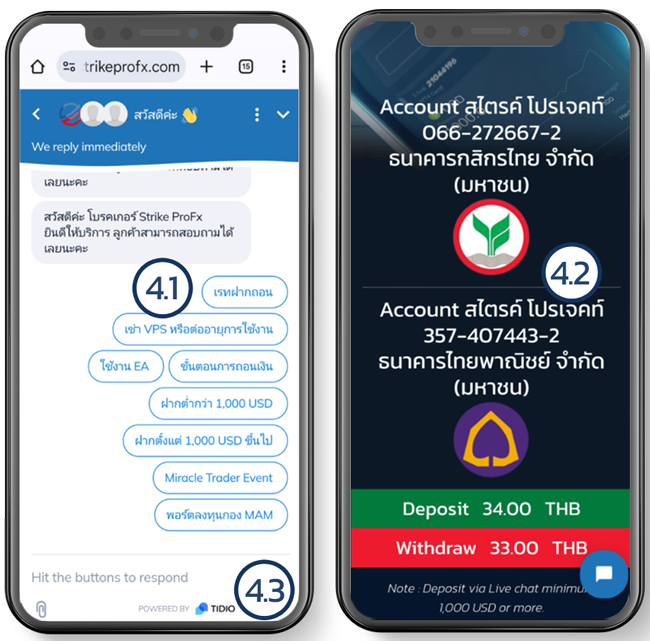
4.1 Inquire about the current exchange rate through Live Chat.
4.2 Transfer funds to the following account:
Company: Strike Project
Bank: Kasikorn Bank
Account Number: 066-2-72667-2
or
Bank: Siam Commercial Bank PCL.
Account Number: 357-407443-2
4.3 After the deposit has been completed, upload the transfer slip to Live Chat along with the following details:
-Transfer slip
-Full name
-Email of the account where you want the funds deposited
Note: The deposit process takes approximately 15-60 minutes (maximum of 24 hours).
Crypto Currency
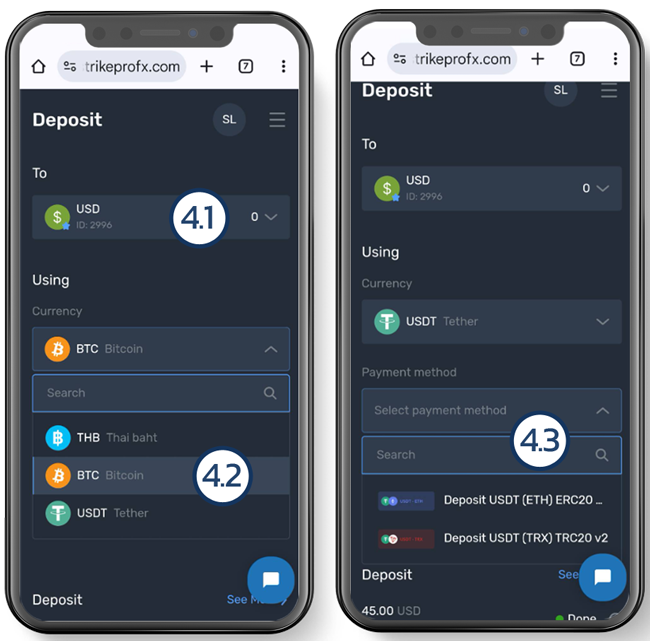
Step 4
4.1 Select the USD wallet.
4.2 Choose the digital currency.
4.3 Select the network.
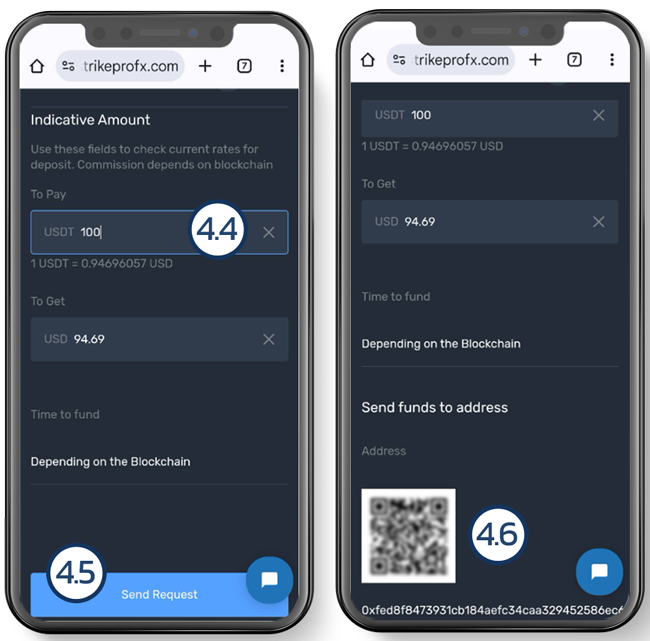
Step 4
4.4 Enter the amount of digital currency you wish to deposit.
4.5 If everything is correct, click “Submit.”
4.6 Scan or copy the address to make the transfer.
If money transfers and withdrawals take longer than notified
Members can notify via Live chat.
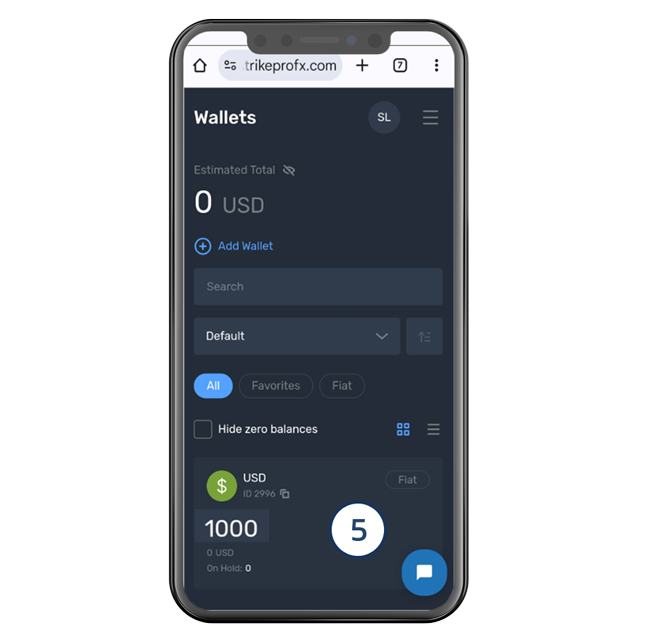
Step 5
There is a USD balance showing in the Wallet Fiat.
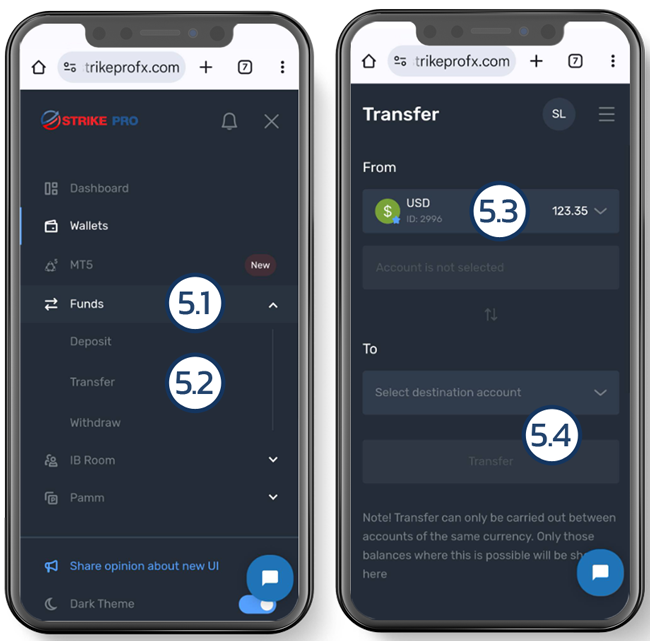
Step 5
5.1 Go to the Funds Menu.
5.2 choose “Transfer”
5.3 In the “From Account” field, select the amount in the Fiat section.
5.4 Select the destination account.
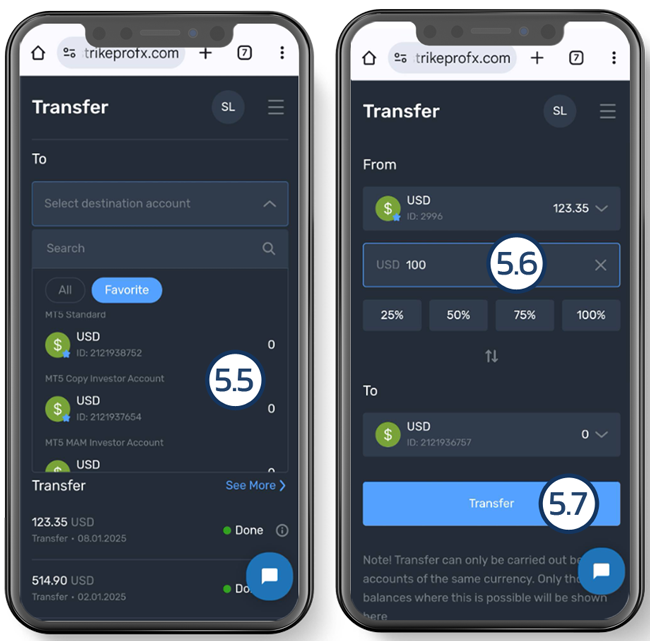
5.5 In the “To Account” field, select the MT5, PAMM, MAM, or Social Trade account you have created. Please ensure that the trade account number is correct before proceeding with the transfer. In this example, the funds will be transferred to the MT5 Standard account.
5.6 In the “Transfer Amount” field, enter the amount you want to transfer to the MT5 trade account.
5.7 Click “Transfer.”
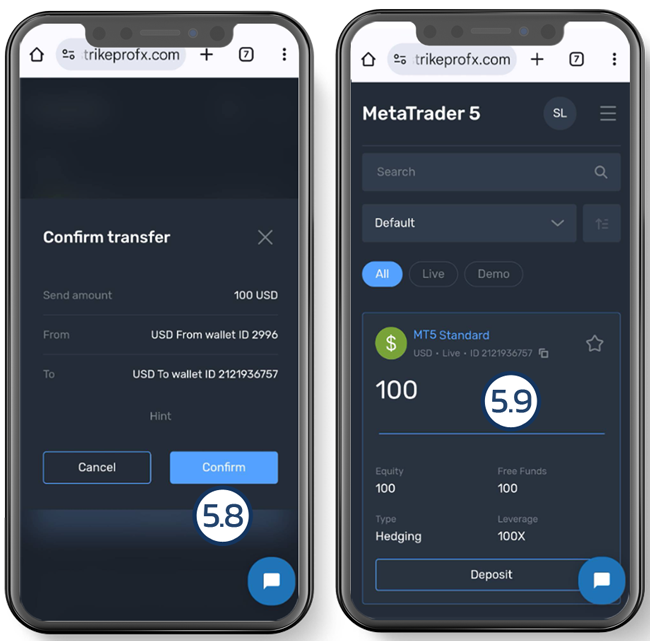
5.8 Click “Confirm” to confirm the transfer.
5.9 If the transfer is successful, you will see that the funds have been deposited into the trading account when checking the MT5 menu.