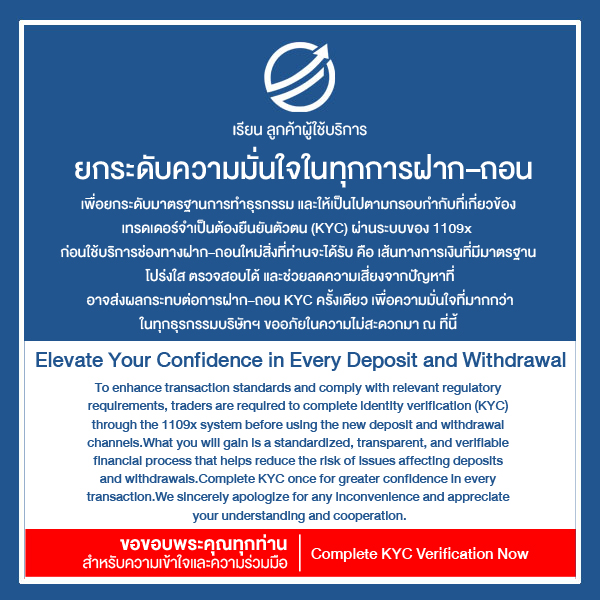

Identity Verification [ KYC ] Level VIP

Daily Withdrawal Limit: 10,000 USD ( Can withdraw on holidays )
If you want to verify your identity urgently, you can contact live support immediately.
HOW TO?
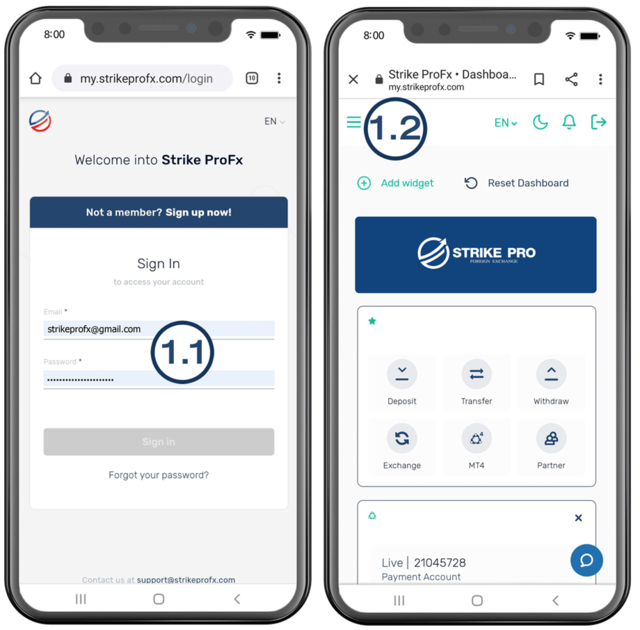
Begin the KYC Level VIP process
1.1 Sign In to account
1.2 Select 3 tick bars on the top left
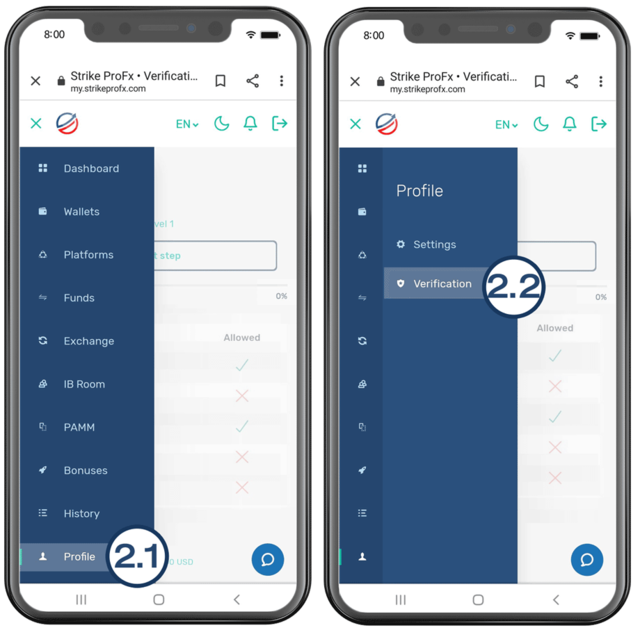
Step no. 2
2.1 Select Profile
2.2 Select Verification
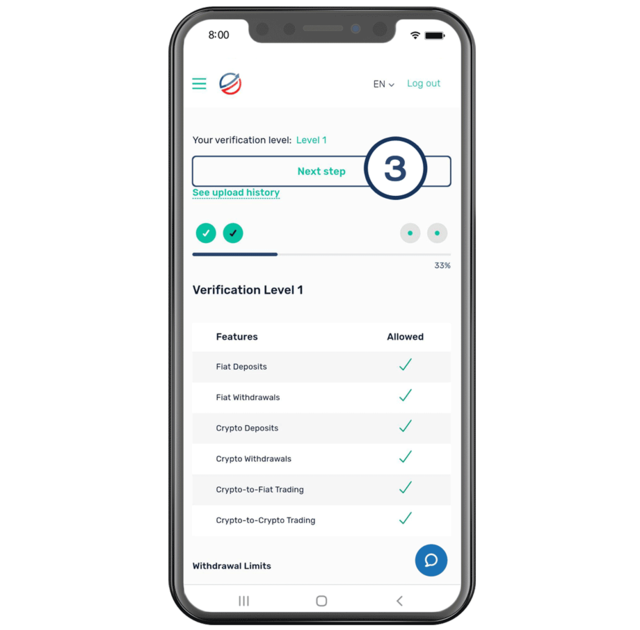
Step no. 3
Check the current level, if it is level 2 it will be KYC it is VIP level. Click Next Step.
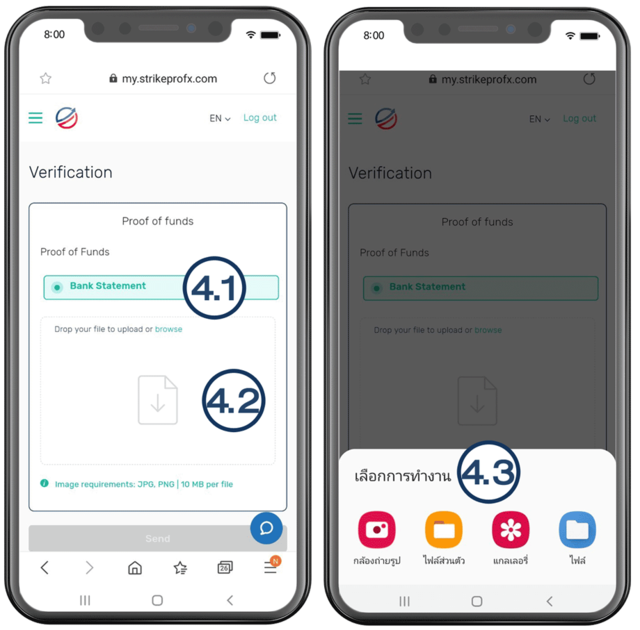
Step no. 4
4.1 Selfie type
4.2 Press the paper image with the down arrow.
4.3 Choose files or photos (but you must see the image and text clearly).
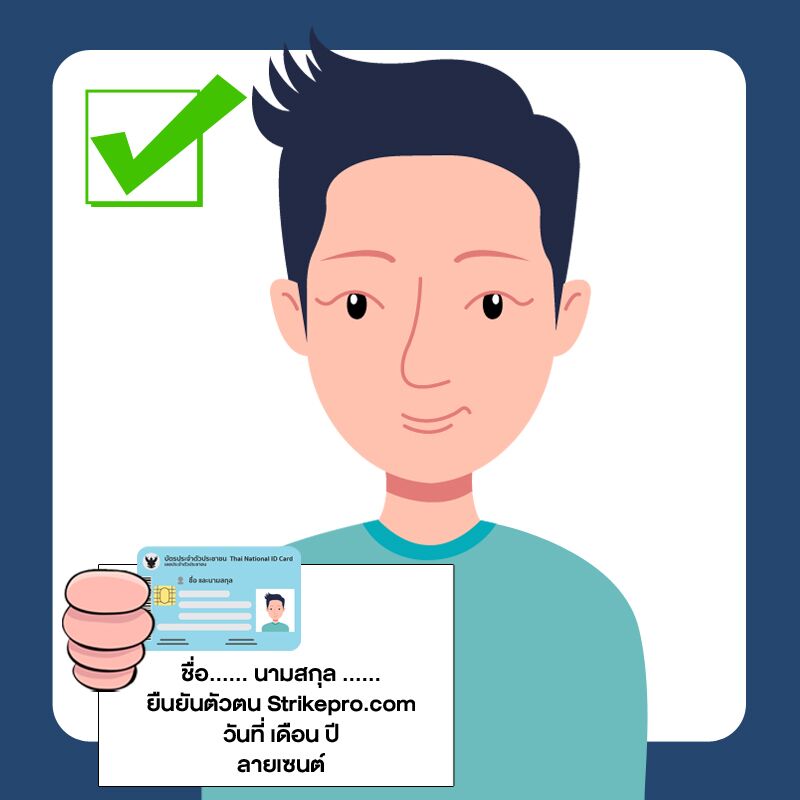
4.3.1 Choose a live selfie camera with a clear face with an ID card. Or previous passport with a picture
– Must see the face and card or passport clearly.
– With A4 paper writing message “KYC Verification with StikeProForex”
– Signed and the date of KYC was performed.
4.3.2 Choose from the files that have been taken To upload images by category And the best picture has been selected.
Straight-face document image Clear text
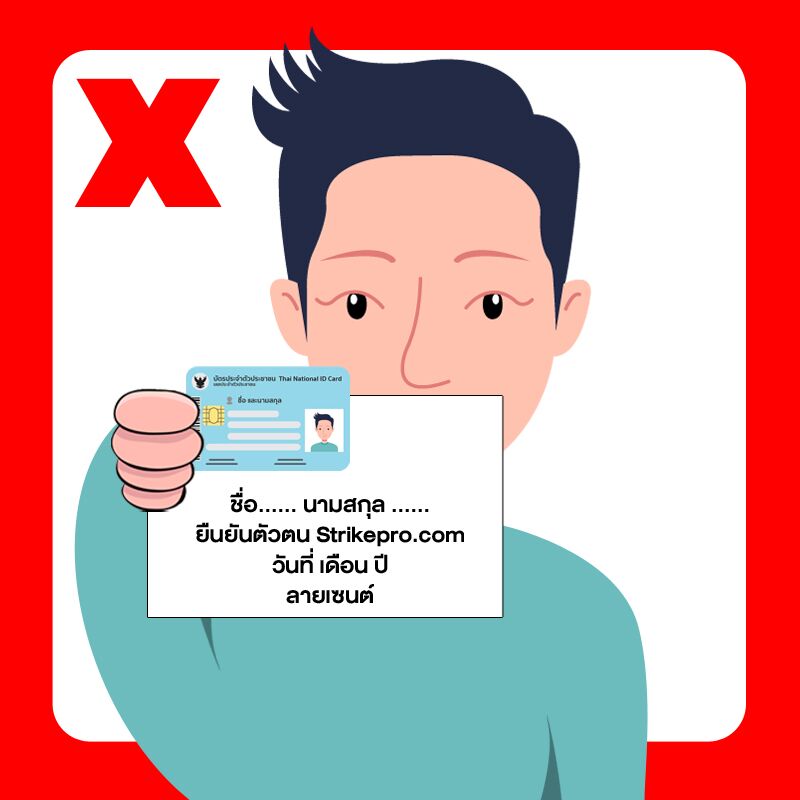
The document image is distorted, not straight
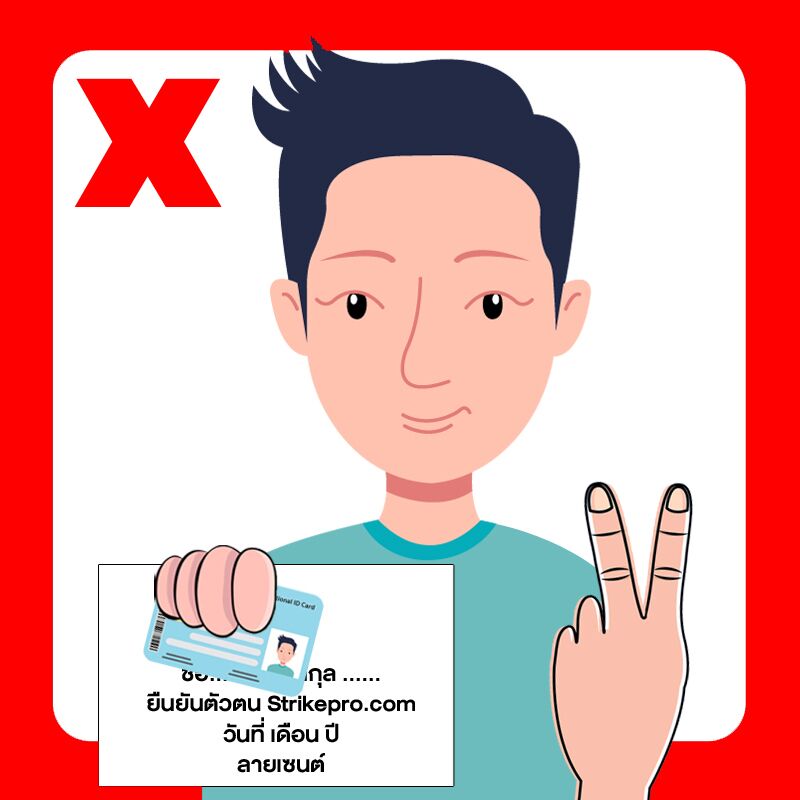
The image of the document text is not clear
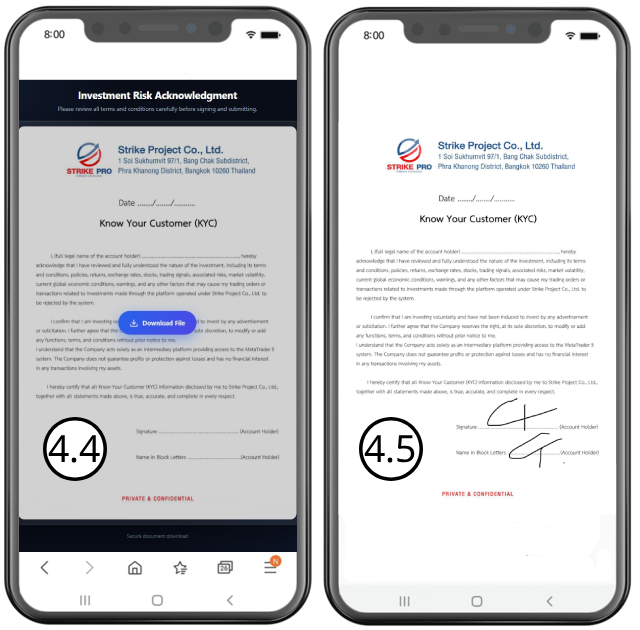
4.4 Download the KYC Document
Click link “Download KYC Document” , Press the button to download the KYC PDF document to your device.
4.5 Sign the KYC Document
Open the downloaded KYC document and carefully read all terms and conditions. Sign the document where indicated and make sure your signature and all information are clearly visible.
4.6 Upload the Signed KYC Document
After signing the document, save it as a PDF file and upload the signed KYC document to the designated upload section.
Please ensure that the uploaded document is complete, clearly readable, and includes your signature before submitting.
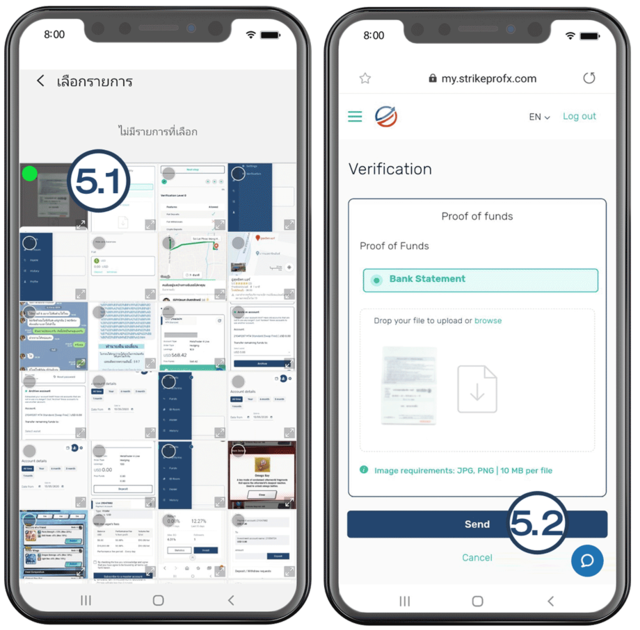
Step no. 5
5.1 Select upload image
5.2 Press Send
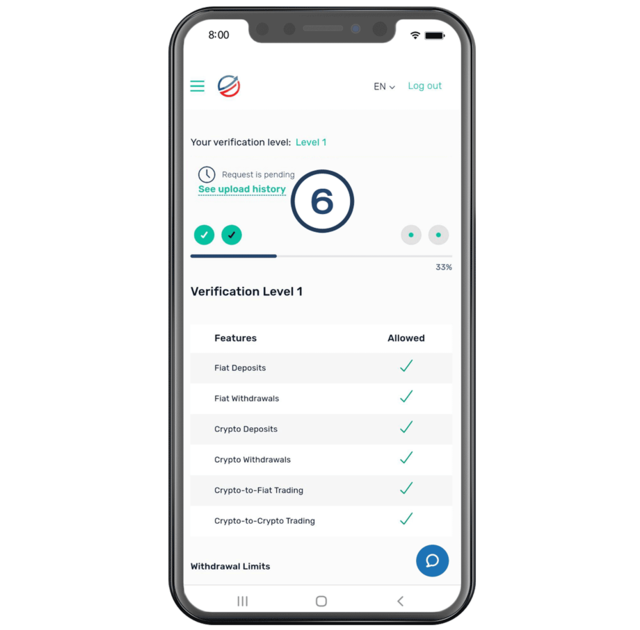
Step no. 6
Notice the clock mark and the words Request is pending , indicating that they are complete. Wait for the system to verify the information is done
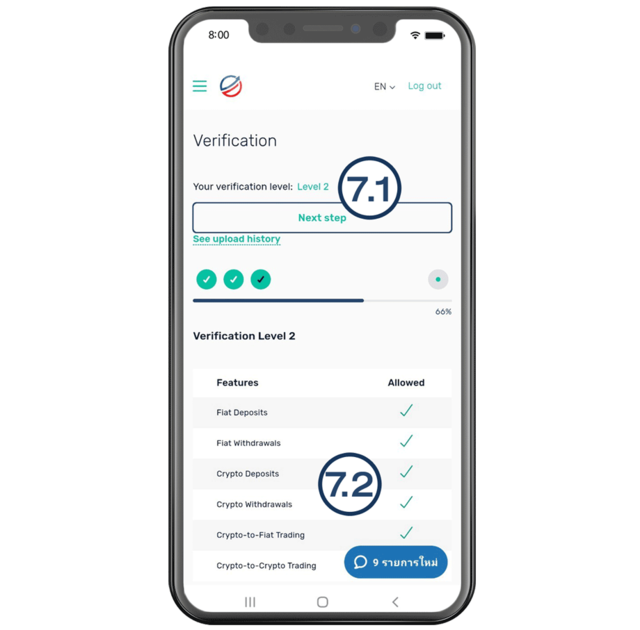
Step no. 7 (Completed KYC format)
7.1 After waiting for the verification system, you will have Level VIP displayed.
7.2 On the part of the withdrawal system and other systems have been examined and can be used.
After approval at the VIP level
You will be able to withdraw without any limit on the amount.